Mylo
Mylo is a tech preview feature. Tech preview features may be subject to significant changes before they become GA.
Mylo is an AI-powered assistant built into Calico Cloud that combines deep Kubernetes networking expertise with real-time access to your cluster's resources and traffic data.
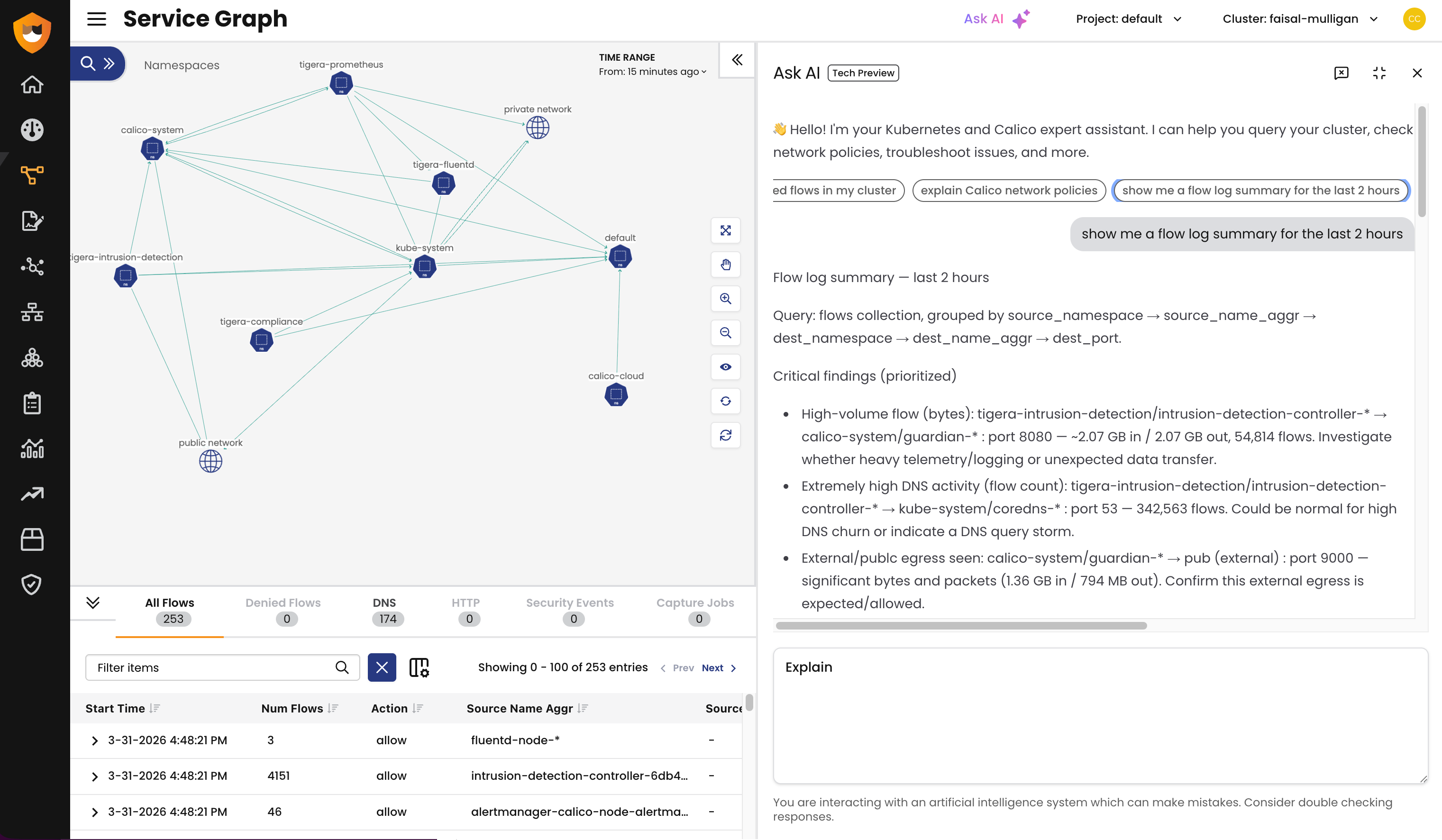
Mylo is available to Calico Cloud customers on request. To activate Mylo for your account, contact Support.
Overview
Mylo is an AI assistant embedded directly in Calico Cloud. It helps you manage and secure your Kubernetes clusters by answering questions about workloads and network traffic, recommending network policies, and troubleshooting connectivity issues — all through natural language.
What sets Mylo apart from a general-purpose AI is that it has real-time, read-only access to your actual cluster environment. Mylo can query your flow logs (including flow, DNS, and L7 logs), inspect Kubernetes resources (anything accessible via kubectl), and draw on a knowledge base built from Calico and Kubernetes documentation.
When you ask a question, Mylo reasons through it, queries the relevant data from your cluster, and responds with concrete answers grounded in what's actually happening in your environment.
This means you can go from "Which pods are making outbound connections to the public internet?" to a specific, data-backed answer in seconds — without writing queries, switching tools, or digging through dashboards.
What you can do with Mylo
Troubleshoot connectivity issues
When a workload can't reach another service, Mylo can diagnose the problem by examining flow logs, network policies, and cluster state to pinpoint what's blocking traffic.
Try asking:
- "Why can't frontend reach orders-api?"
- "Connection refused from web pod to backend — help"
- "What policy is preventing my-app from talking to redis?"
Detect and audit egress traffic
Identify which pods and namespaces are making outbound connections to the public internet — a critical visibility gap for security teams.
Try asking:
- "What are the top 10 egress destinations?"
- "Show me traffic going to the public internet"
- "Are any workloads talking to the internet without a policy?"
Analyze denied traffic
Get a clear picture of what traffic is being blocked across your cluster, grouped and summarized so you can quickly spot misconfigurations or confirm that policies are working as intended.
Try asking:
- "Show me all denied flows"
- "Flow log denies grouped by namespace"
- "Which connections are being denied by the platform.restrict-db policy?"
Get policy recommendations
Describe the security posture you want, and Mylo will suggest network policies to achieve it — whether you're isolating namespaces, blocking egress, or locking down cross-environment traffic.
Try asking:
- "Block traffic between dev and production namespaces"
- "Create an egress deny policy for the test namespace"
- "Recommend a zero-trust policy set for my environment"
Explore cluster resources
Use Mylo as a fast way to get oriented in your cluster — list namespaces, pods, services, and workloads without leaving the Calico Cloud interface.
Try asking:
- "What namespaces do I have?"
- "List all pods in the production namespace"
- "Give me an inventory of pods by namespace"
Data privacy and security
Mylo is designed with enterprise data privacy requirements in mind.
Is my data sent to a third party?
Yes. Your data is sent to OpenAI for analysis. OpenAI is listed as a Tigera sub-processor and is used to analyze customer data with relevant context through a contractual enterprise arrangement.
Does OpenAI train on my data?
No. OpenAI does not use your data for model training or fine-tuning. The enterprise agreement explicitly prohibits this.
Does OpenAI store my data?
Yes. OpenAI retains data for 30 days for abuse monitoring and content moderation purposes only. After 30 days, the data is deleted.
All access to your managed cluster is performed using your authentication token. Mylo has read-only access — it can analyze your environment and make recommendations, but it cannot modify any resources in your cluster.
Additional resources
- Contact Support to activate Mylo for your Calico Cloud account
- Flow logs — the traffic data that Mylo queries to answer your questions
- Network policy — learn more about the policies Mylo can help you build